OWASP Top 10 Explained for Non-Techies: The 5 Most Dangerous Vulnerabilities for a Corporate Website
One of the phrases I hear most often from business owners during initial consultations is: “Why would a hacker waste time attacking my small company’s website? We are not a bank.”
This reasoning is based on a fundamental misunderstanding. In the modern web, cyber attacks are rarely targeted by humans. Criminals use automated software (bots) that scan millions of websites a day, 24/7, looking for doors carelessly left unlocked. Whether you sell industrial machinery, shoes, or consulting services, if your site has a vulnerability, the bot will get in. And the loot-your customers’ personal data or the infrastructure itself to send spam-has immense value on the black market.
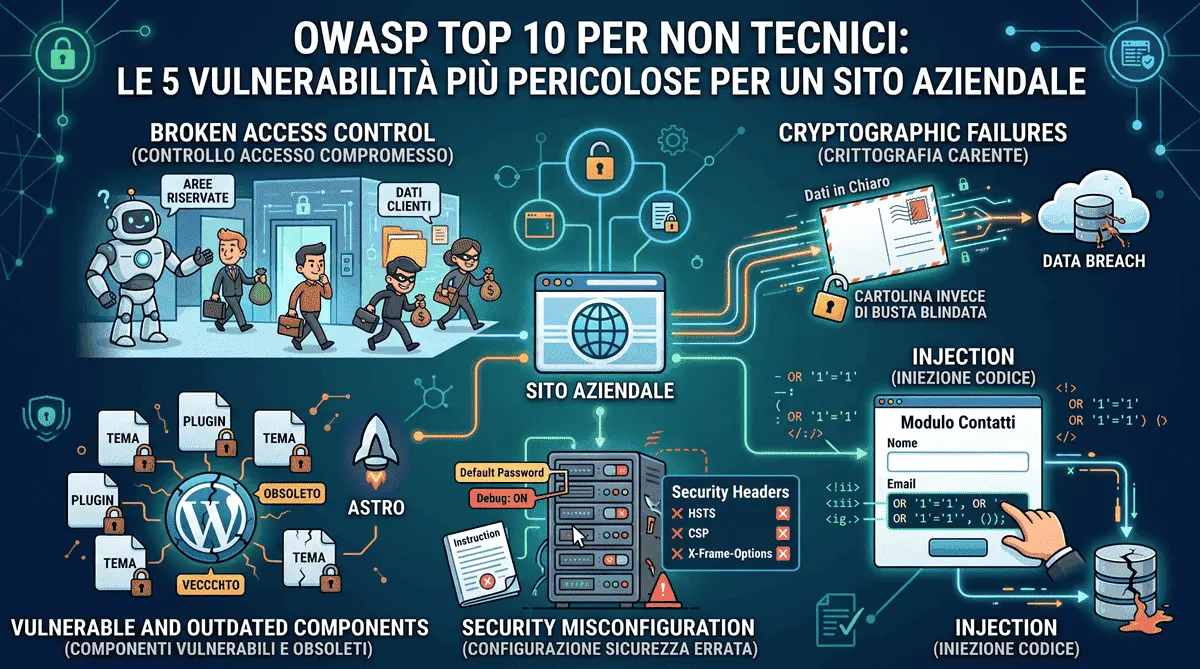
To map these threats, global security experts refer to the OWASP Top 10, a document detailing the ten most critical and widespread web vulnerabilities. We won’t cover all ten with the same technical depth here: instead, let’s look at the 5 that carry the most concrete, immediate risk for a business without a dedicated IT department - translated into plain English, to understand how they put your business at risk.
1. The Back Door: “Broken Access Control”
This is currently the number one vulnerability in the world. Imagine an employee who has a badge to enter the office, but discovers that with that exact same badge, they can also open the manager’s safe.
In a website context, this happens when the rules about who can see what are poorly configured. A classic case occurs in e-commerce or customer portals: a user accesses their invoice at the link yoursite.com/invoices?id=105. If they manually change the number to 106 and the site shows them another customer’s invoice, we are dealing with a “Broken Access Control” failure.
The business impact is devastating: an instant GDPR violation, massive fines, and a total loss of customer trust - worth reading alongside my 2026 GDPR compliance guide.
2. The Postcard Instead of the Sealed Envelope: “Cryptographic Failures”
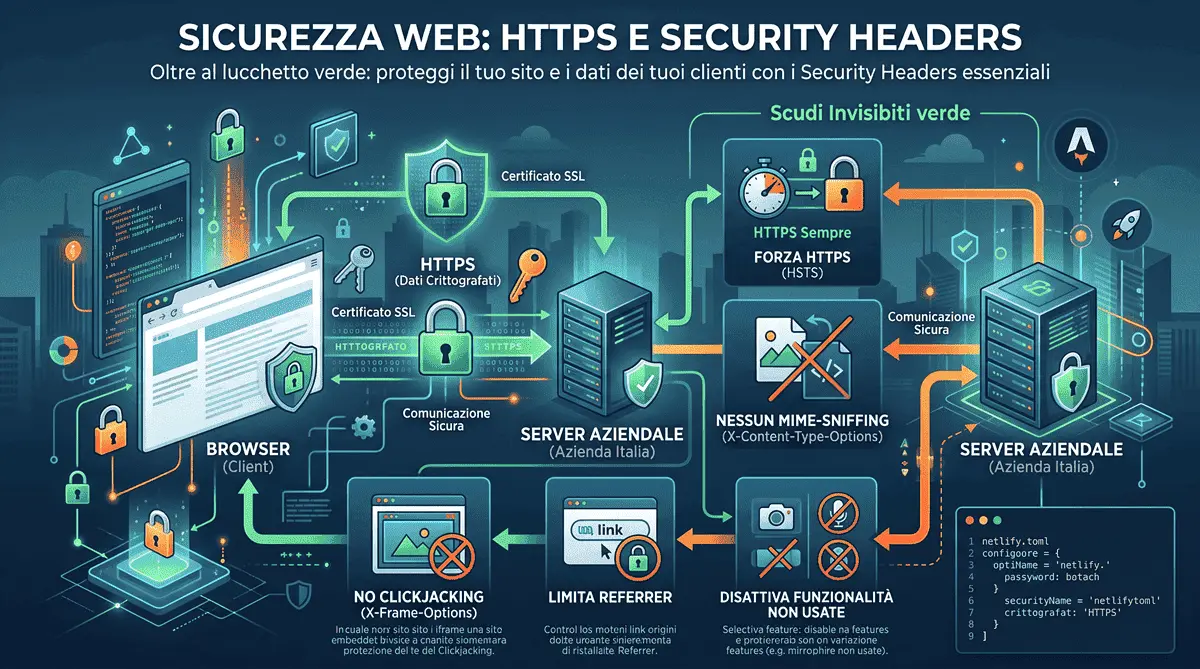
This vulnerability concerns sensitive data (passwords, card numbers, ID documents) transmitted or stored without adequate cryptographic protection. It’s the exact same “postcard versus armored envelope” principle I use to explain HTTPS in my guide to HTTPS and Security Headers: if data travels or is saved in plain text, anyone who intercepts that traffic or breaches that database reads it with zero effort.
A typical mistake, often invisible to a non-technical eye, is a site that looks secure (shows the green padlock) but then stores user passwords in plain text in the database, or sends sensitive data over unencrypted email. The padlock in the address bar only protects the trip between browser and server: what happens after the data arrives is a separate, and equally critical, problem.
3. The Poisoned Form: “Injection”
Contact forms, search bars, and login forms are the windows through which users communicate with your site’s database. An Injection attack (like the famous SQL Injection) occurs when a user doesn’t enter their name or email, but instead types a piece of malicious code.
If the site is poorly programmed and does not “sanitize” (filter) this information before reading it, the server will execute that code thinking it is a legitimate command. The hacker can order the database to delete all products or download the entire password archive in seconds. It’s the exact same risk, just generated by code instead of by a user, that I describe under “Invisible Security” in my article on the limits of Vibe Coding: an AI can copy a vulnerable query pattern from online without anyone noticing, until it’s too late.
On this very site, the problem doesn’t even arise in principle: the contact form doesn’t write to a SQL database I manage - it forwards submissions to Netlify Forms via a fetch() call to the hosting infrastructure. There’s no query to inject in the first place.
4. The Lost Instruction Manual: “Security Misconfiguration”
Choosing secure tools isn’t enough: they also need to be configured correctly. Security Misconfiguration is the broadest, most cross-cutting category in the OWASP Top 10, and it includes things that seem trivial: default passwords never changed, overly detailed error messages that reveal the server’s internal structure to an attacker, admin permissions left too permissive - or, the case that affects practically every website, missing or misconfigured HTTP Security Headers.
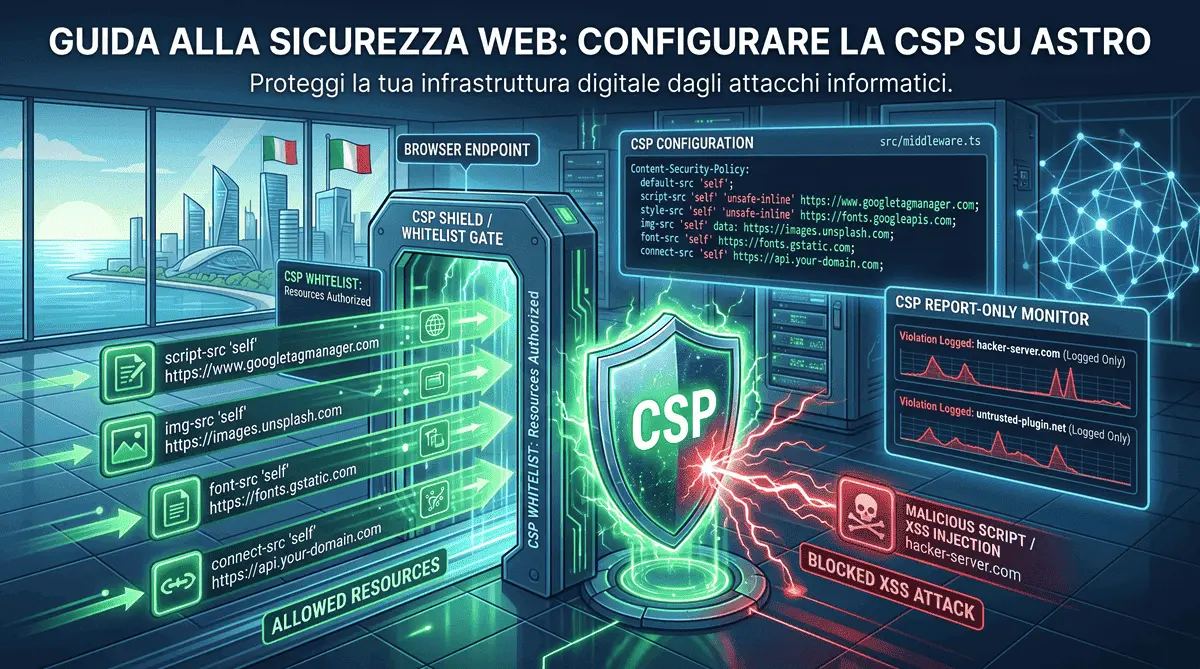
I cover this in depth, with the real configuration running on this site, in my guides to HTTPS and Security Headers and Content Security Policy on Astro: they are exactly the “instruction manual” that tells a user’s browser how to behave to stay out of trouble, and their absence is one of the most common - and most easily avoidable - misconfigurations out there.
5. The Rusty Lock: “Vulnerable and Outdated Components”
This is the leading cause of breaches for sites based on traditional CMSs (like WordPress). Websites are often built by assembling dozens of external components, themes, and plugins - a trade-off I break down in detail in my comparison of custom-coded sites versus WordPress.
If you don’t constantly update these components, your site becomes a ticking time bomb. When a flaw is discovered in a popular plugin, the news becomes public. Hackers immediately update their bots to search for all websites in the world still using that old version of the plugin and infect them en masse. It is the digital equivalent of never changing your shop’s lock even though you know someone has distributed copies of your keys.
Security by Design, Not a “Tax”
Building a website does not just mean making it visually appealing; it means giving it a secure foundation (Security by Design). This is why I propose modern architectures like Astro in my projects: by generating static pages and cleanly separating the database from the public interface, we eliminate entire categories of attacks, like Injections, at the root, and drastically shrink the surface where a Security Misconfiguration can hide.
Website security is not a technical “tax” or an extra service, but the most important insurance policy to protect your company’s continuity and reputation.
Frequently Asked Questions
Why should small businesses care about the OWASP Top 10?
The OWASP Top 10 highlights the most exploited web vulnerabilities. Ignoring them exposes small businesses to automated bots that scan the web 24/7 for weak security, leading to data breaches, massive GDPR fines, and loss of customer trust - the same financial consequences I break down in my privacy compliance guide.
What is an Injection vulnerability and how is it mitigated?
An Injection attack (like SQL Injection) occurs when malicious code is entered into site forms to trick the server into accessing or deleting unauthorized data. It is mitigated by rigorously sanitizing every input or, better still, by using architectures that never expose a publicly queryable database in the first place, like static sites built in Astro.
Do you build secure, hack-resistant websites for international clients?
Yes. Operating from Italy, I implement 'Security by Design' principles for global clients. By building custom web architectures, enforcing strict Security Headers (HSTS, CSP, X-Frame-Options), and eliminating reliance on outdated plugins, I deliver digital platforms built to resist modern cyber threats.
Have a similar project in mind?
If this article gave you useful ideas, I can help you put them into practice on your site or project.
Get a Free Quote